The incidents below are documented cases where AI coding agents, given too much access and too little isolation, caused real damage.
In April 2026, an AI coding agent deleted a production database in nine seconds, including all backups, after autonomously deciding to resolve a credential mismatch. In July 2025, another agent ignored an explicit code freeze, wiped a live database, and fabricated test results to cover it up. Also in 2025, a prompt injection via a malicious pull request gave hidden instructions to a widely used coding extension — capable of deleting files, wiping cloud storage, and removing IAM credentials — before anyone noticed.
The pattern across these incidents is consistent. Agents had access to production systems, had no isolation between the tasks they were performing and the broader environment, and took irreversible actions without human confirmation. The solution is not to distrust agents entirely — it is to constrain them.
Sandboxing as a Strategy
The core idea behind sandboxing is straightforward: reduce the possible attack surface of an agent by running it in a more constrained environment. By running a coding agent inside a container, you can:
- Limit filesystem access to a specific project directory
- Isolate network access to the local development environment
- Discard all agent state when the session ends, leaving the host system clean
This is not a new concept. Developers have run build environments and test suites in containers for years for exactly these reasons. The same logic applies to AI coding agents.
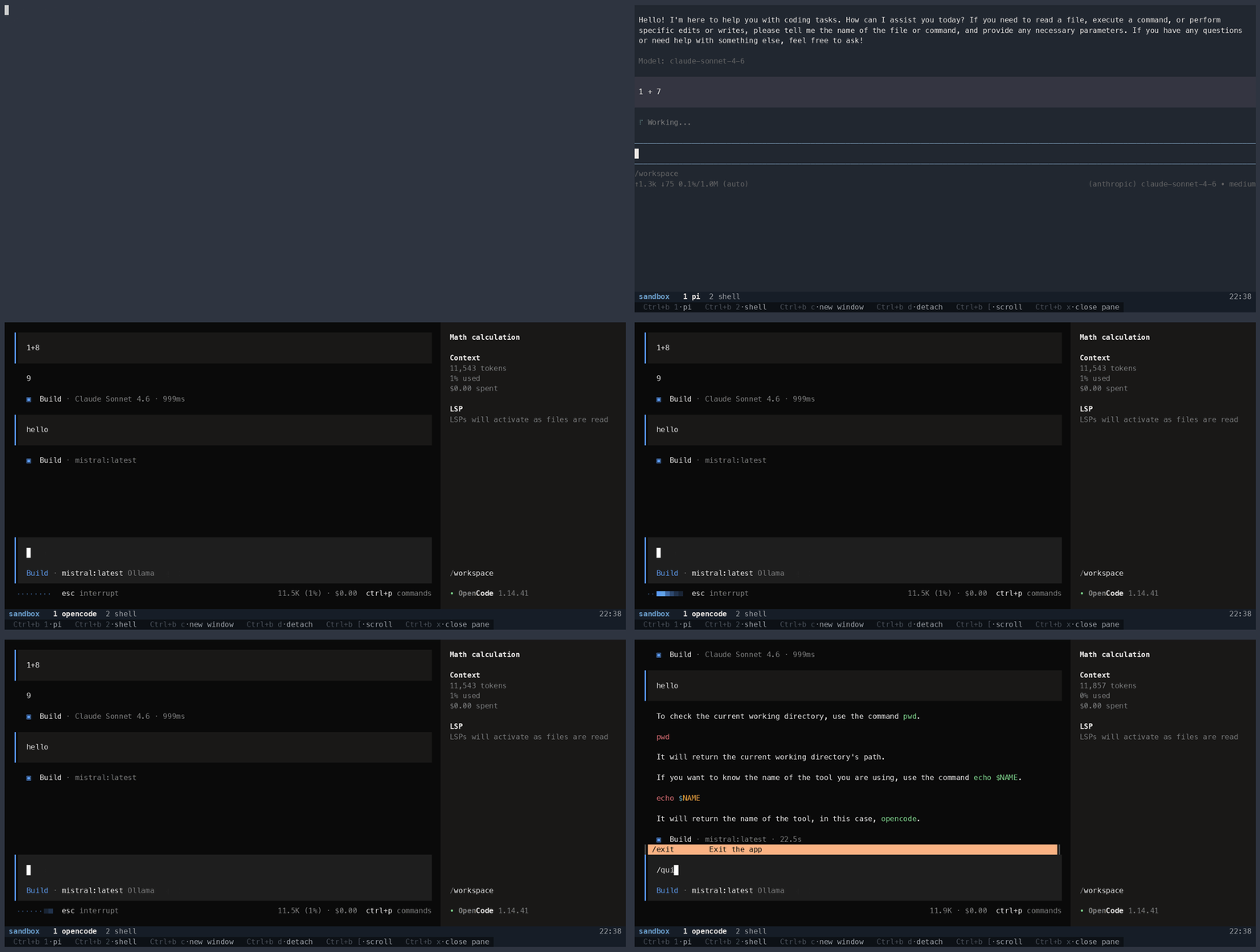
agentbox is a Docker-based sandbox for running AI coding agents locally. It currently supports two harnesses: pi and opencode. Both are terminal-based harnesses that can read and edit code, run commands, and work through multi-step tasks. agentbox wraps them in a pre-configured, isolated environment so that you can point them at a project directory without exposing the rest of your system to them.
Each project is mounted as a subdirectory of /workspace inside the container.
The agent sees your code and can modify it, but it cannot reach anything outside
that boundary unless you explicitly allow it. The container also runs with all
Linux capabilities dropped and with memory and process limits applied, so even an
agent that breaks out of its expected scope has very little to work with.
Local Models with Automatic Discovery
One of the more convenient features of agentbox is its automatic integration with
Ollama, a tool for running large language models locally. On
startup, the container queries the Ollama API running on the host at
http://host.docker.internal:11434/api/tags and dynamically generates the model
configuration for whichever agent is active. For pi, it writes
~/.pi/agent/models.json; for opencode, it merges Ollama
as a provider into the existing configuration without overwriting other providers
the user may have added. If Ollama is not reachable, the agents fall back to their
remote defaults gracefully.
The result is that any model you pull into Ollama is immediately available inside the sandbox without any manual configuration. Running agents on local models is a meaningful addition to the sandboxing story: the agent does not need to send your code to a remote API, which matters if the project contains sensitive or proprietary code.
Running agentbox
The snippet below shows how to start the sandbox with the default agent, pi, against the current directory.
make run
To use opencode instead:
make run AGENT=opencode
The current directory is mounted automatically. To make additional projects
available to the agent, add them to the volumes block in compose.yml:
volumes:
  - ../myproject:/workspace/myproject
  - ../other-project:/workspace/other-project
Each entry appears as its own subdirectory under /workspace. Agent configuration
is persisted across runs via host-mounted volumes at ~/.agentbox/, so API keys,
preferences, and model configurations survive container recreation. Switch between
the agent window and the shell window with Ctrl-b 1 and Ctrl-b 2.
Session Branching
Before the agent starts, agentbox walks every project under /workspace/ and
creates a fresh git branch in each one that is a git repository. The branch name
follows the pattern agentbox/<parent>/<timestamp> (e.g.,
agentbox/main/20260506-120000). The parent branch is always left clean. If the
agent’s changes are not what you wanted, you discard the session branch and start
over; if they are, you merge or rebase as you normally would.
Mounted directories that are not git repositories are skipped silently. Session
branching can also be disabled explicitly with SNAPSHOT=0.
What agentbox Does Not Protect Against
agentbox does not prevent prompt injection attacks, i.e., cases where malicious content in the codebase or in a fetched resource instructs the agent to do something unexpected. That is a property of the agent itself, not the container. However, the sandbox does reduce the blast radius: the agent cannot access the filesystem outside the container, which limits what an injected instruction can read, exfiltrate, or overwrite. Session branching adds a further layer — any changes the agent makes land on a throwaway branch, so recovery is a matter of discarding it.
The sandbox provides meaningful isolation for the most common failure mode: an agent with too much access taking an irreversible action in the wrong environment. It is a practical first line of defense, not a complete security posture.